Being a Product Manager is a tough job to do well. You’re constantly balancing the tactical and the strategic, urgent fires and long-term goals, high-priority items and quick wins. But in practice, that balance often tips toward the here-and-now, the urgent fires, and longer-term goals and ideas quietly fade away.
Over time, I’ve tried to build processes that stay grounded in my long term goals. Where I landed is simple: I start my week by reviewing my goals, then selecting a Top 5 for the week list that is anchored in them. It gives me a bit of control and perspective. I don’t expect to check off all five, but if I make real progress on most of them, that’s a win.
To support this, I’ve tried countless todo tools — Wunderlist (RIP), Notion, Trello, Obsidian (with the todo plugin), even pen and paper. Each had strengths, but one gap always remained:
👉 My todos and my goals were never really in the same place.
And as the week went on, the gap between what I should have done and what I actually did grew larger and larger.
The Solution - Build an app to account for this
After about 15 hours of GenAI-assisted coding with Cursor.AI, I built my own productivity app for MacOS.
At the core, it uses tags as the glue between goals and todos:
Goals (with tags) → connected to a list of tags → connected to todos (with the same tags)
On the same screen, I can see both my goals AND my weekly Top 5. Even when I get pulled into urgent things, having longer-term goals and the week’s priorities anchored in them right in front of me helps me reset and refocus.
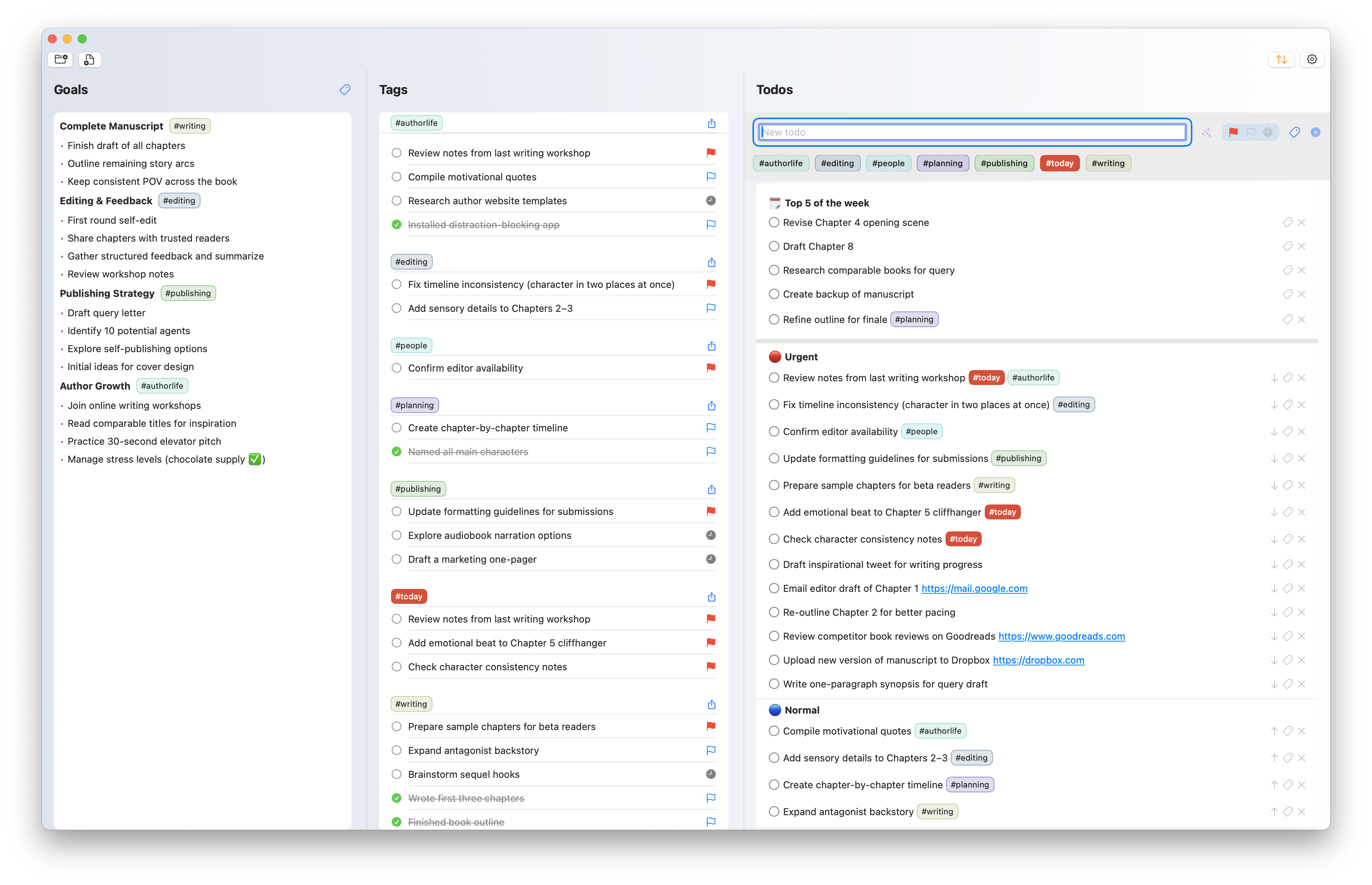
Big Rocks App - From Goals to Tags to Todos
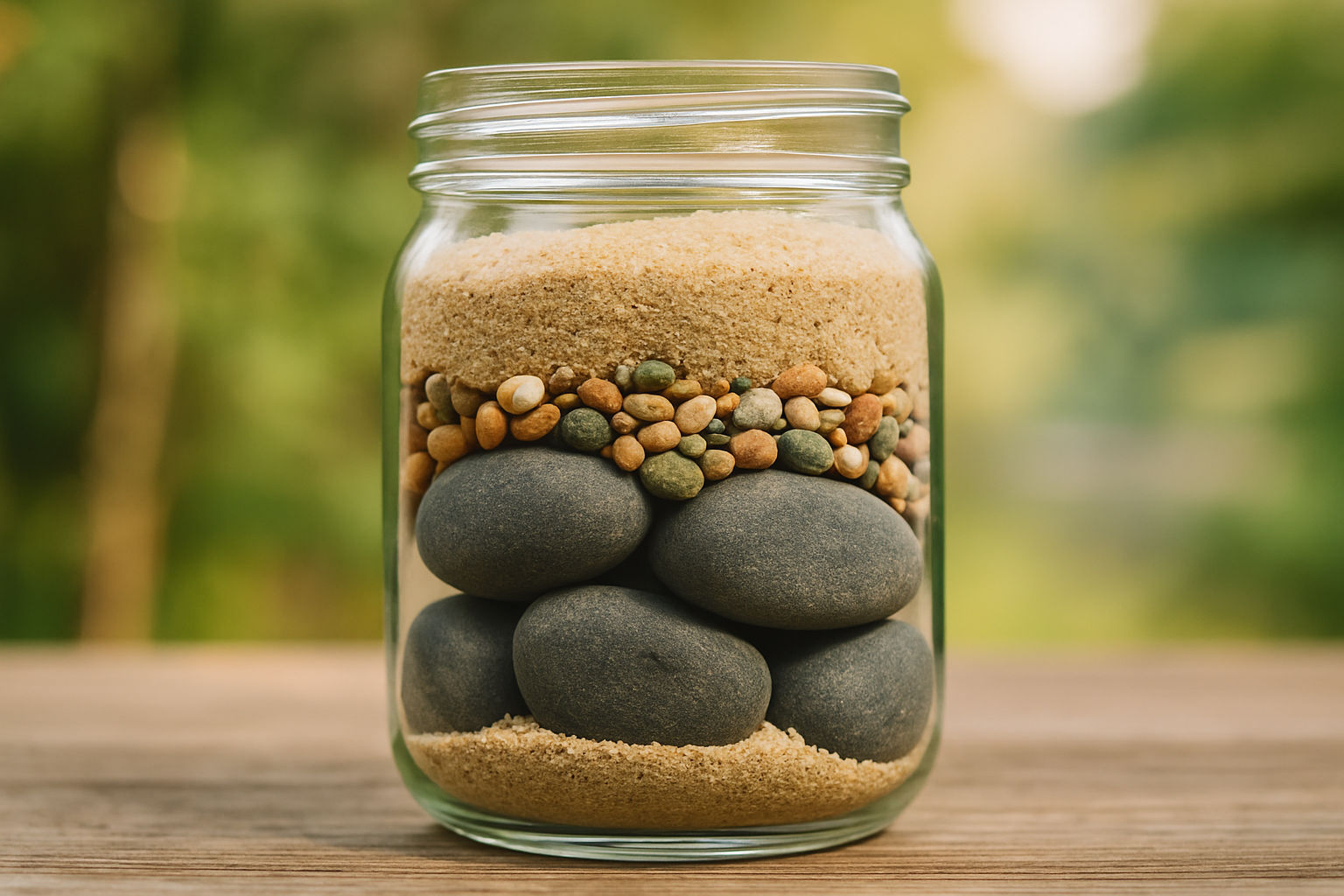
I’ve decided to name it “Big Rocks”. As PMs, we’ve all heard this analogy:
Imagine you have a jar, a few big rocks, some pebbles, and some sand.
If you pour in the sand and pebbles first, there won’t be room for the rocks.
But if you put the big rocks in first, the smaller things fit around them.

App Icon
That’s the philosophy of the app: start with the big things that matter. Or at least, don’t lose sight of them.
Core Features
Create, edit, delete, and complete todos
Priority system (urgent, normal, “whenTime”)
Tag-based organization and filtering
Top 5 weekly priorities
GenAI todo rephrasing + tag extraction
Data Management
Markdown file support (open, create, save)
Automatic backups every 3 hours
Persistent settings & preferences
User Experience
Modern SwiftUI interface
Resizable columns
Tag management popovers
Settings & configuration panels
All of this came together in just ~15 hours and ~3,700 lines of code. If you’re curious, the project lives here: https://github.com/horiag-dev/todoapp
Lessons Learned from building the app
A bit of context: I used to be a programmer, but it’s been a while, and I didn’t know Swift going in.
Reflecting back on the experience, here’s what stood out for me:
Build by feel. I didn’t write a PRD (I know, cardinal sin for a PM). I started with a vague idea and refined continuously.
It felt like a game. I kept thinking, “one more feature and I’ll stop.” It was addictive.
AI makes mistakes. Trivial changes sometimes caused massive rewrites that were painful to untangle. Due to this → version control is non-negotiable. Cursor checkpoints, then GitHub, saved me more than once.
Stay grounded in your files. Having the Markdown file to peek at directly kept me sane.
Sometimes it’s surprisingly intuitive. AI often applied conventions I didn’t have to explain. A small but telling example: when adding arrows to move tasks up or down, it knew not to show an “up” arrow for the very first item.
Summaries at the end helped. Cursor.AI’s “here’s what I changed” responses built trust in the changes it made.
And finally, the app icon. I may have spent far too much time designing it (at least ~50 variants). I went through everything — transparent icons, pixelated 90s computer-game vibes, glossy “polished app store” looks, and more. None of them were quite right… and it’s safe to say I won’t be pursuing a career in design anytime soon!

Past versions of the AppIcon
Is It Working?
Yes. I’ve been using this app for about 3 months, and I can’t imagine going back.
It doesn’t magically stop the flood of emails, Slacks, and meetings. But having my goals and my Top 5 of the week right there makes it easier to ground myself, take a step back and adjust.
The worst part? I can’t think of anything major to add — maybe for the first time in my PM career.
The best part? The sheer satisfaction of moving completed items into ‘deleted.’
And for now, that’s enough.